-
News & Trends -
Sales -
Marketing Related Topics -
B2B Software Guides Related Topics -
Free Tools & Resources -
- About Us About Us
In the business-to-business (B2B) industry, the smallest touchpoints often carry the most meaning. And if I’m being honest, I wouldn’t take a second look at business cards that feel cheap, cluttered, or generic — because they don’t signal credibility. They signal “afterthought.”
A business card isn’t just a way to share contact info; it’s a micro-moment of brand positioning. When it looks forgettable, it really becomes forgettable.
That’s why the real challenge isn’t figuring out how to print business cards but deciding where to print business cards that reflect the level you sell at. This article is a candid guide to what makes people actually keep your card: high-touch finishes, modern formats, and smarter follow-up paths like Quick Response (QR) code and Near Field Communication (NFC).
I’ll also compare vendor options (including VistaPrint) that help companies move beyond “basic” and into brand-building, as well as show real examples of print business cards that sparked conversations and drove pipeline.
Most business cards won’t get tossed because they’re ugly — they’ll get tossed because they’re useless in the moment and forgettable later. If the recipient doesn’t instantly understand what you do, how to reach you, or why they should care, your card becomes clutter. And clutter gets cleared.
The most common failure I see is cards that are built for completeness instead of clarity. They cram in every detail (multiple numbers, social handles, long titles, generic taglines) and require the recipient to do the work later — type an email, search your name, remember what you said. That’s a losing bet after an event.
Winning cards do the opposite. They’re designed for real-world behavior: limited attention, fading memory, and low follow-up effort. They give the recipient a reason to keep the card (a helpful QR code, a clear next step, a simple positioning line).
They include a memory trigger — something that reconnects the card to the conversation. And they use durable specs that survive pockets, bags, and even harsh lighting.
| Generic layouts • Crowded info and icons • Hard-to-read typography • Low contrast or glossy glare • No next step • Flimsy stock • No context for what you do | • Purpose: One reason to save it • Clarity: Minimal text, easy scan • Recall: A hook that jogs memory • Frictionless follow-up: QR/NFC • Durability: Thick stock + matte/soft-touch • Consistency: Matches your brand system • CTA: One clear action |
Essentially, a card that gets kept makes recall automatic and follow-up effortless.
Now that you know what makes a card keepable, the next question is strategic: Who can actually produce that quality at the speed, volume, and price your team needs? That depends on the type of print vendor you choose.
Choosing a printer is not just a production decision. It shapes how your card looks, how it feels, how quickly it arrives, and how consistently your team can order it again.
The key is knowing what kind of vendor you’re working with, because each type is built for a different outcome. Below are the four most common options and when each one makes the most sense.
| Best for | Starting price | Learn more | |
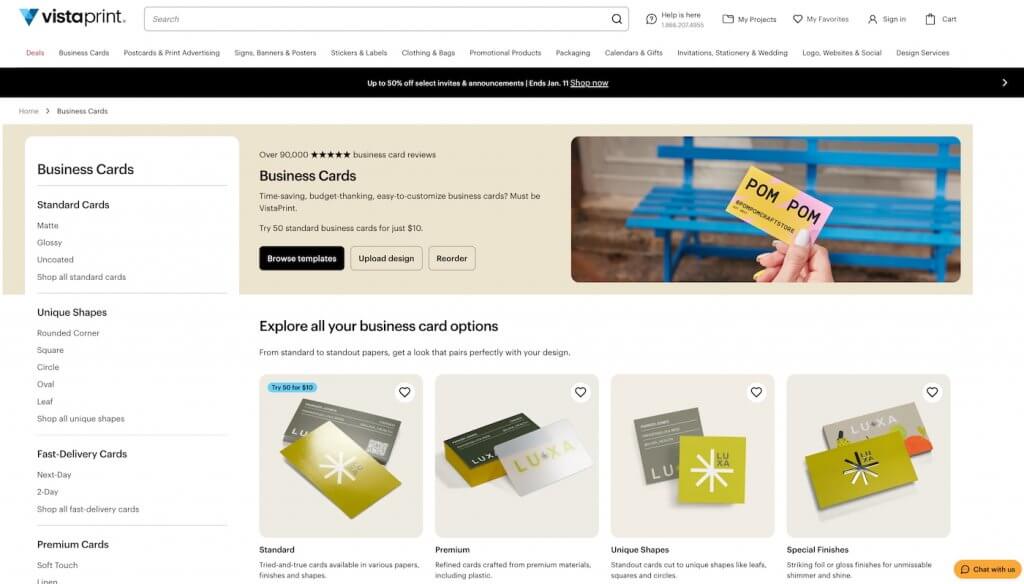
| Online print platforms | Team consistency and easy ordering | $10 for 50 pcs. | Visit VistaPrint |
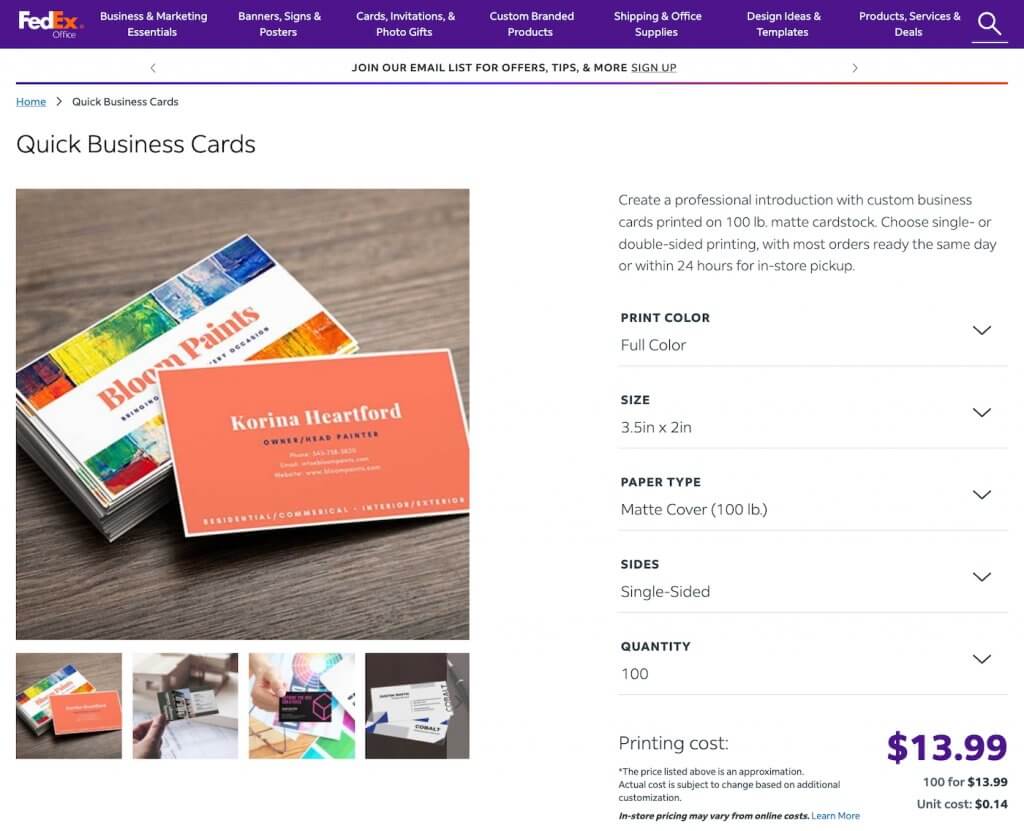
| Local print shops | Prioritizing tight deadlines, pickup, and speed | $13.99 for 100 pcs. | Visit FedEx Office |
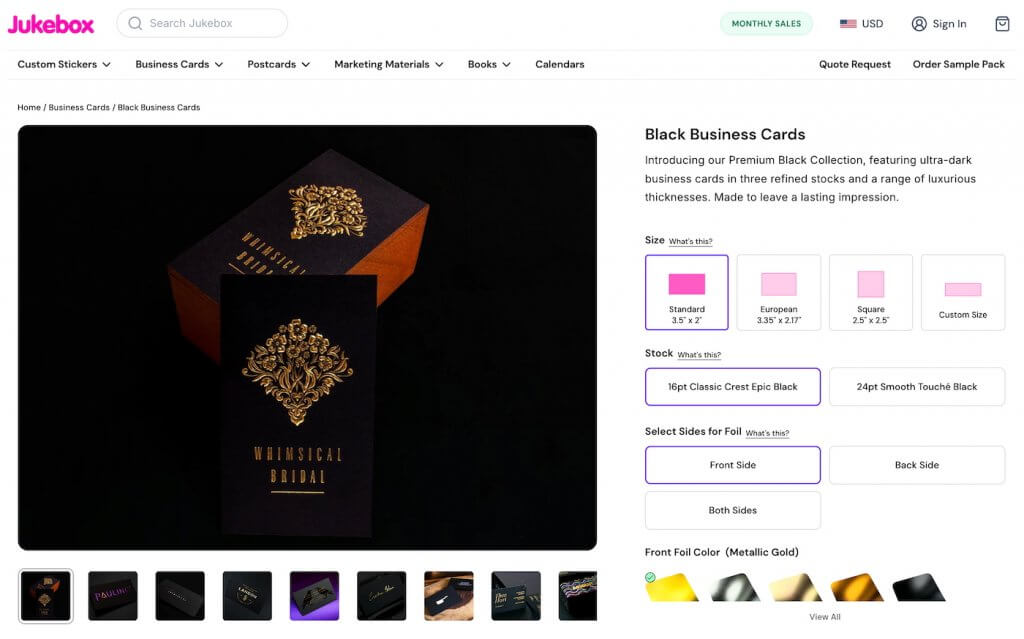
| Premium specialty printers | Premium cards for high-stakes impressions | $28 for 100 pcs. | Visit Jukebox Print |
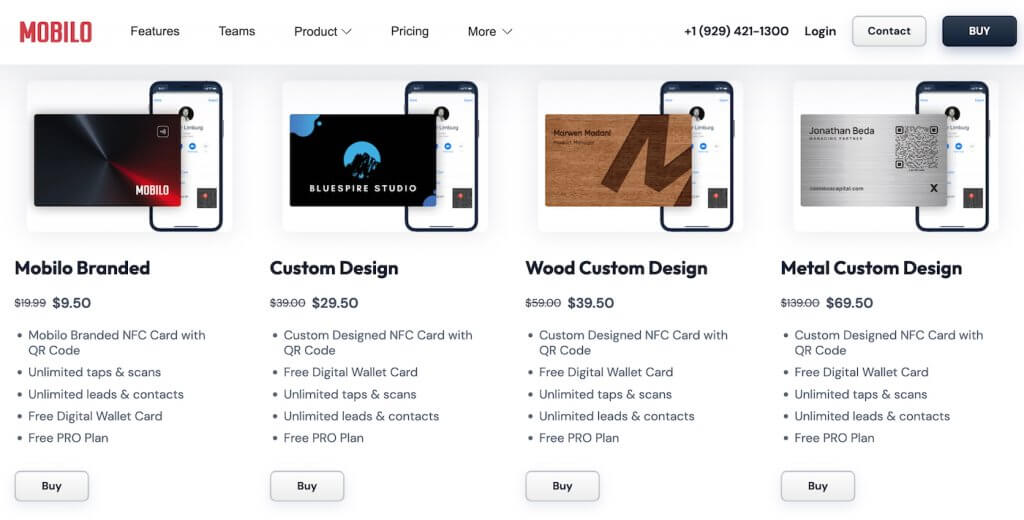
| NFC and smart card providers | Event-heavy roles with instant follow-ups | Free or $9.50 per card | Visit Mobilocard |
Online print platforms are the most practical option for most teams. They strike a balance between speed, consistency, and flexibility, making it easy to order cards for one person or roll out the same design across an entire organization.
Once a card is approved, reordering is straightforward, which is particularly important when titles, headcount, or messaging change.
These platforms have also expanded beyond basic stock. Many, such as VistaPrint and GotPrint, now offer thicker papers and premium finishes, which let teams level up without a specialty print workflow.
Ideal for:
Trade-offs:
VistaPrint is a strong option for teams that want to print business cards without turning it into a project. It combines ready-to-customize templates with easy design uploads, plus clear paths to upgrade to premium stocks, special finishes, and even unique shapes.
When you need to keep cards consistent across roles or locations, its saved projects and reorder flow make it simple to update details like titles or phone numbers and get new batches out quickly.
This bucket includes independent commercial printers as well as national chains with in-store pickup. The advantage is control and immediacy.
You can often get quicker turnaround times, talk through options, and reduce shipping risks when an event is close. Popular examples include FedEx Office and Staples Print & Marketing.
Ideal for:
Trade-offs:
FedEx Office is a solid pick when timing is the main constraint. Their “quick” business card offering is built around speed, with many orders available for same-day or 24-hour in-store pickup, which is useful when a conference, client visit, or last-minute role change pops up.
You can order online by uploading a print-ready file or starting from templates, then pick up locally instead of waiting for shipping.
This category is for teams that want elevated materials, more customization, and higher craft. Some of these vendors are still online-first, but the output leans premium: specialty stock, heavier weights, unique construction, and finish details that read as intentional in-hand.
Independent boutique studios can go further with truly custom processes (like letterpress), but even “premium specialty” online printers can deliver a noticeable step up from standard runs. Some of the most notable examples include Jukebox Print and MOO Luxe.
Ideal for:
Trade-offs:
Jukebox Print is geared toward brands that want their cards to feel more custom than standard online runs. They lean into high-impact physical details, like painted edge business cards that let you add a colored edge for an immediate “this is different” cue in-hand.
It’s a good fit when you care about tactile differentiation and are willing to spend a bit more effort choosing specs that match the impression you want to leave.
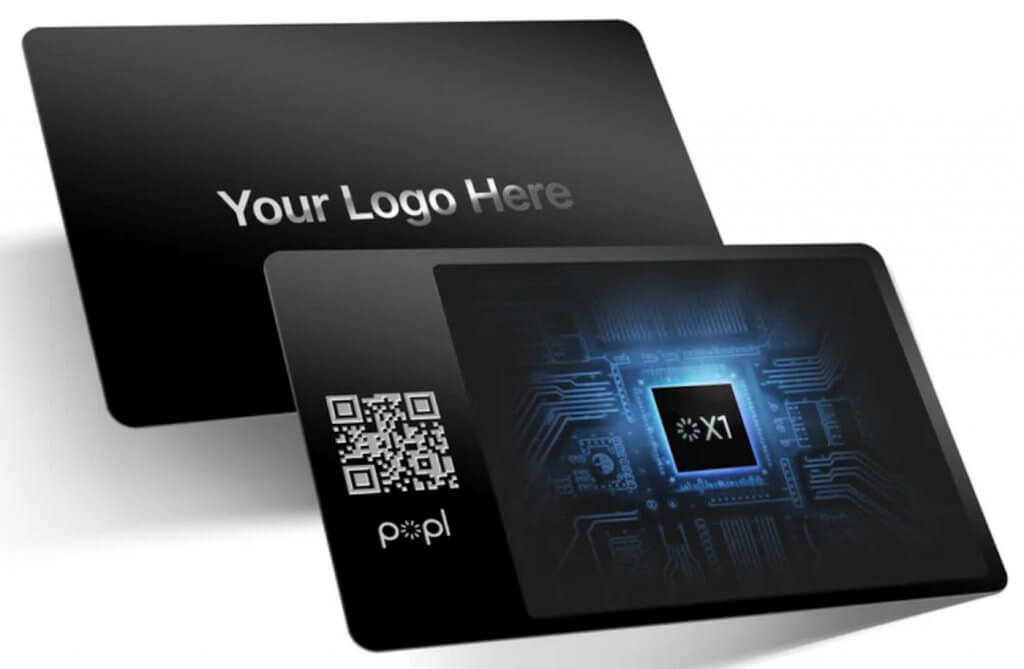
NFC and smart card providers prioritize contactless sharing and a digital follow-up path. The value is speed and continuity: tap or scan, and the recipient can save details or open a profile.
This works best when the destination page is strong, and the audience is comfortable with the format. Mobilocard and Popl are among the best examples of NFC and smart card providers.
Ideal for:
Trade-offs:
Mobilocard is designed around contactless sharing and team control. It pairs NFC cards with digital profiles and team management options, so individuals can share info with a tap while companies maintain consistency across branding and employee pages.
For organizations, the appeal is operational: You can update details digitally and manage teams at scale without reprinting every time something changes.
A business card that gets compliments is not the same as a business card that gets follow-up. People will happily say “nice card” and still never contact you again.
The difference comes down to whether the design helps someone remember you and act on that memory later. The principles below break down the specific design choices that make follow-up easier, faster, and more likely.
Visual novelty alone does not create recall. What helps is a clear mental hook. When someone pulls a card out of a stack later, they should immediately remember who you are and why you were relevant.
That usually means:
If the design forces someone to “re-learn” who you are, the moment is already lost.
Cards that drive follow-up usually have a single, intentional purpose beyond contact info. The design supports that purpose instead of competing with it.
Examples:
This works best when the CTA is subtle but clear. The card should feel helpful, not promotional.
One of the most common missed opportunities is the back of the card. Too often, it’s left blank or filled with repeated contact details.
High-performing cards use the back to reinforce positioning in one sentence or host a QR code with context. You can also leave space for a handwritten note. When used well, the back of the card becomes the reason the card stays out of the trash.
Business cards are rarely read carefully. They are glanced at. The design should work in low-light, noisy environments, and under time pressure.
That means readable font sizes, strong contrast between text and background, and minimal visual clutter. There should also be no critical information tucked into tiny text. If someone has to stop and focus to understand the card, it’s already too slow.
Follow-up drops sharply when the recipient has to do manual work later. Design can reduce that friction through smart options, like QR codes that open a contact card or LinkedIn profile, clear visual cues showing what the QR does, and consistent placement so the card feels familiar, not confusing.
The goal is not to force interaction, but to remove barriers when someone is ready.
Design choices should reflect the context of your conversations. A card that works for an outbound SDR is different from one used by an enterprise consultant or founder.
For example:
A mismatch between how you sell and how your card presents you creates unnecessary friction.
One underrated design choice is intentional white space. Not for minimalism’s sake, but to allow the recipient to write something down.
A name, a reminder, or a quick note can turn a card into a personal artifact instead of a generic handout. Cards that invite annotation are more likely to be kept and acted on.
The takeaway: Design that drives follow-up is rarely flashy. It’s clear, purposeful, and built around behavior. The best cards don’t ask for attention. They make it easy for someone to remember who you are and know exactly what to do next when they find the card later.
NFC and contactless cards are gaining traction because they reduce a common source of drop-off: the gap between a good conversation and an actual follow-up.
A tap or scan can capture details instantly and point someone to the next step while the interaction is still fresh. Whether that helps or hurts depends on the room you’re in, the audience you sell to, and what the tap leads to.
The sections below cover where contactless works best, where it tends to fall flat, and how to use it in a way that supports real follow-up.
At their best, contactless cards reduce friction and preserve momentum. The recipient can walk away with your details saved and a clear next step, instead of a paper reminder they may or may not use later.
Here are the common strengths of NFC and contactless cards:
NFC becomes a “gimmick” when the interaction creates friction instead of removing it, or when the tap is treated like the value rather than the doorway to value.
Here are common failure modes of NFC cards:
Choosing between NFC and printed cards comes down to fit. The best option depends on the room you’re in, how your buyers prefer to exchange info, and whether speed or physical presence matters more in your follow-up.
Use the comparison table to pick the format that matches how you actually meet prospects.
| • You meet lots of new contacts in short bursts (events, conferences, roadshows) • Fast scheduling or quick resource sharing is a priority Contact details change often (roles, territories, titles) • You want a consistent, managed profile experience across a team • Your audience is already comfortable with QR codes or tap-to-share • You want a trackable path to the next step (profile views, link clicks) | • The setting is formal, and the exchange is more traditional • A physical reminder that can sit on a desk matters • Buyers have mixed comfort levels with tapping or scanning • You sell into conservative or highly regulated industries • The tactile impression supports your positioning and price point • You want a low-friction exchange with no device interaction |
In practice, most teams don’t need to choose a single format. A hybrid setup covers more situations with less friction. You can lead with a high-quality printed card that works in any room, add a QR code for fast saving and follow-up, and use NFC as an optional convenience when the audience is comfortable with it.
That way, the card still functions as a physical reminder, while the contactless layer shortens the path from meeting to next step.
Business cards drive pipeline when they do one of two jobs well: make you instantly recognizable in a crowded room, or make the next step effortless after the conversation ends.
The formats below map to real B2B sales motions, with examples where teams tied the card exchange to measurable follow-up.
Best for: Enterprise Account Executives (AEs), leadership, consultative sellers, and anyone selling trust and credibility.
This format leans on restraint and materials to signal confidence. It works best when the goal is to look established, not flashy, and when your card needs to hold its own in high-stakes meetings.
What it looks like
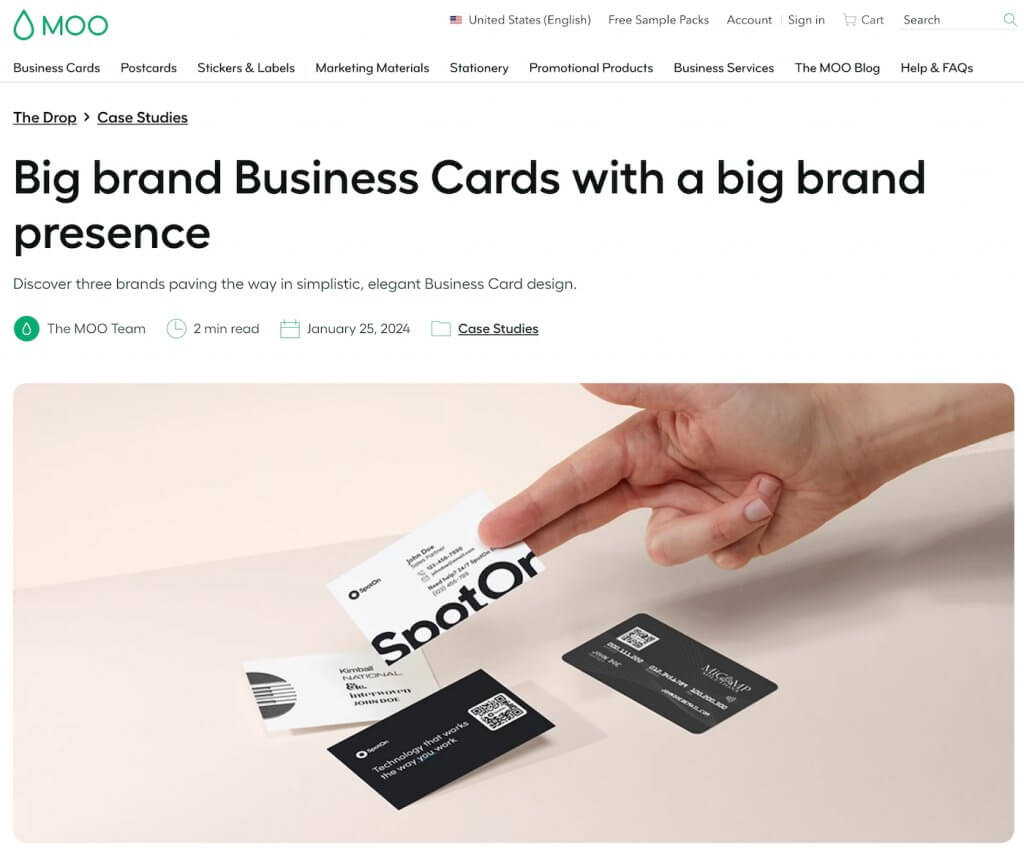
Example: SpotOn’s business cards use a monochrome aesthetic printed on a premium stock with a soft-touch finish, positioning the card to feel polished and “kept” in enterprise settings.
Why it performed: The card supports a credibility-first sales motion while staying clean and easy to recall when someone reviews a stack later.
Best for: Event-heavy sales teams, partner teams, and field sellers who need speed, clarity, and reliable capture.
This format prioritizes fast recognition and frictionless exchange in high-volume environments. It can appear as bold print design, contactless sharing, or a combination of both.
What it looks like
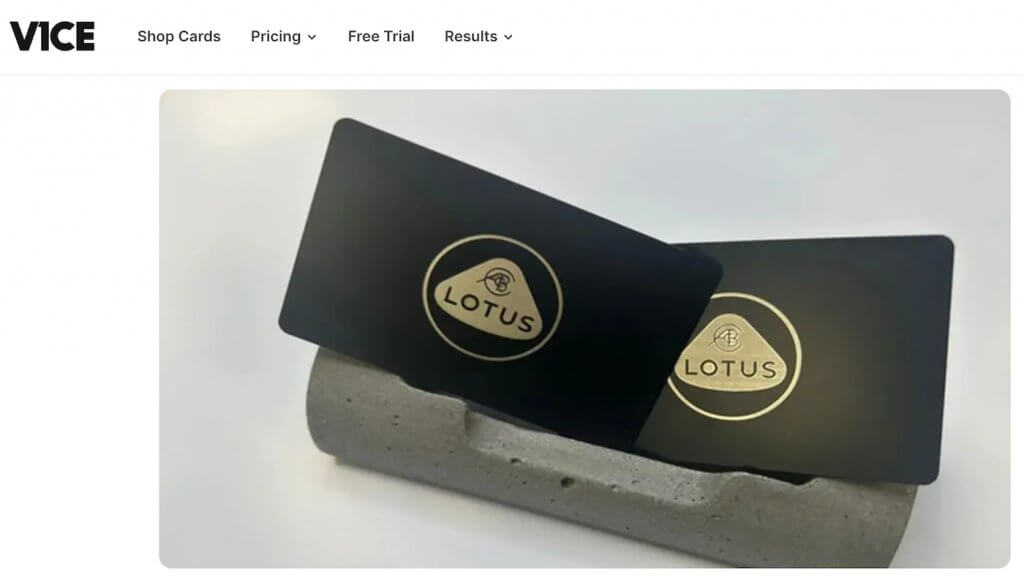
Example: Lotus Cars used V1CE NFC business cards with CRM integration and reported capturing 455 leads, designed for quick exchanges and immediate follow-up at events.
Why it performed: The workflow reduced drop-off between meeting and CRM entry, which is where a lot of the event pipeline quietly disappears.
Best for: SaaS teams, product-led sales motions, and reps who want every exchange to point to a specific next step.
This format uses the business card as a direct bridge to action. The handoff is still a “card moment,” but the follow-up happens through what the card opens: a demo path, a booking link, or a targeted resource.
What it looks like
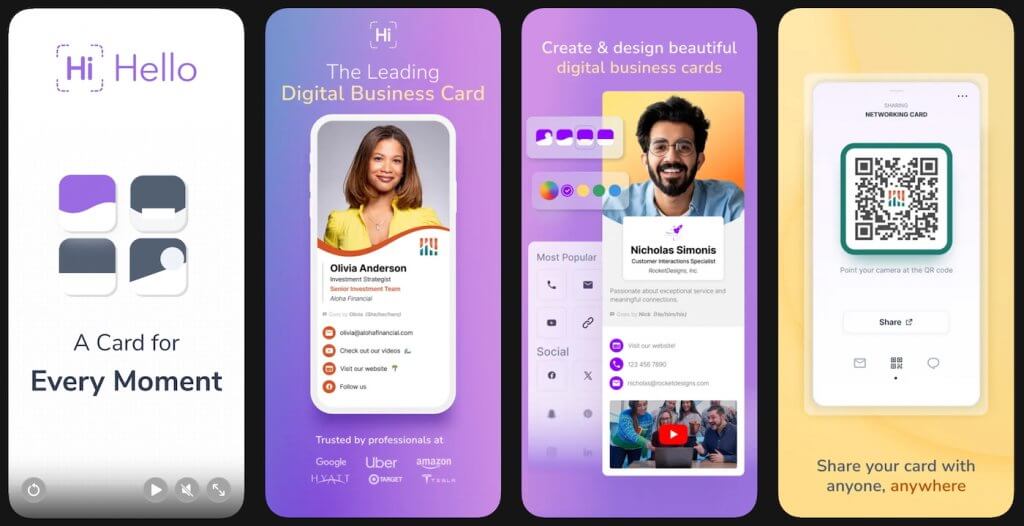
Example: Some B2B sales teams use HiHello digital business cards connected directly to HubSpot or Salesforce so that when a prospect scans a card, the contact details and tags are automatically captured in their CRM without manual entry.
HiHello’s official documentation explains how card shares sync instantly and preserve context for follow-up.
Why it performs: Automating capture and CRM sync ensures the business card exchange feeds directly into pipeline management tools, reducing the risk that new contacts are lost or delayed in follow-up workflows.
Best for: B2B orgs that need consistency across reps, regions, and events without slowing down follow-up.
This format is a system: standardized card templates, controlled team rollout, and a repeatable way for every rep to share the same brand experience while still keeping contact details current.
What it looks like
Example: EisnerAmper’s case study highlights over 3,000 digital business card shares in four months, alongside 800 qualified leads captured and $400,000 in qualified pipeline, with follow-up supported by HubSpot CRM integration.
Why it performed: Standardizing the business card share experience across the team made follow-up faster and more consistent, especially after events where contacts can go cold quickly.
Printing business cards seems simple until it isn’t. Most wasted spend doesn’t come from choosing the “wrong” printer.
It comes from over-ordering, under-testing, or locking into specs that don’t match how the cards actually get used. The tips below help teams get value without turning card printing into a recurring headache.
Before committing to a large order, print a short batch and use it in real situations. Hand cards out at a few meetings or events, carry them for a day, and see how they hold up.
A test run helps you catch issues like text that’s hard to read in low light, finishes that scuff or show fingerprints, QR codes that don’t scan cleanly, and designs that look good on screen but feel flat in hand. Spending a little upfront often saves you from reprinting hundreds later.
Not everyone needs the same number of cards. Ordering by role instead of defaulting to a single quantity reduces waste. Here’s a rough guide that you can use to keep inventory aligned with actual usage:
Premium upgrades are most effective when they’re intentional. Adding every finish to every card increases cost without improving outcomes. Instead, choose one standout element (stock, finish, or edge) and keep the rest of the design simple.
You can reserve higher-end options for roles or moments where they matter. A single premium detail often carries more weight than stacking multiple effects.
Design changes are the fastest way to burn your budget. Before rolling cards out across a team, make sure the layout, copy, and hierarchy are final. Once the design is locked, scaling becomes cheaper and cleaner.
Here are things to double-check before scaling:
Instead of one universal card, consider light versioning tied to context. For example, you could create a conference card with a QR linking to an event-specific page, a regional version with local contact details, and a product-focused card for a specific campaign. Versioning works best when the base design stays the same and only one element changes.
The real cost savings show up after the first order. Choose a system that makes it easy to reorder, update details, or add new team members without starting from scratch.
Some helpful features to look for include saved projects or templates, role-based editing permissions, fast reorders with minimal setup, and consistent print quality across batches. Doing this reduces last-minute rush orders and design rework.
If your card includes a QR code or contactless element, the destination matters as much as the print quality.
Before ordering, test the link on multiple devices to make sure the page loads quickly and confirm that the next step is clear. Avoid sending people to a generic homepage. A strong destination increases the return on every card you hand out.
Titles, phone numbers, and roles change. Ordering massive quantities locks you into outdated information. A safer approach is to order smaller batches more often and use QR or digital profiles for details that change. You can reserve print for stable information. This keeps your cards current without frequent reprints.
Before you finalize an order, it’s worth stepping back and looking at the cost of business cards beyond the per-unit price. Low upfront pricing can hide real costs later if you overorder, rush reprints, or end up with cards that go out of date quickly.
Before you hit “print,” ask:
If you can answer yes to those, you’re far less likely to waste budget on cards that never get used.
Price is the easiest thing to compare and often the least useful. When you’re deciding where to print business cards, most vendors can produce something acceptable at a low cost.
The real difference shows up after the first order, when you need to reorder, update details, or trust that the next batch will match the last.
The criteria below help you evaluate printers based on real-world performance, not just the checkout total.
The best printer is the one you don’t have to think about. Consistent output, easy reorders, and dependable support tend to matter more than shaving a few dollars off the first run.
VistaPrint tends to be a strong fit when you need a reliable, repeatable system more than a one-off print job. It’s built for easy customization, consistent reorders, and team-friendly workflows that help keep branding aligned as titles, headcount, and details change. For sales orgs that want predictable quality with clear upgrade paths in stock and finishes, it’s often a practical option beyond upfront price alone.
For sales teams, online print platforms are often the best choice because they support consistent templates, repeat ordering, and quick updates when roles or contact details change. For urgent event timelines, local pickup printers can help. If you need highly distinctive cards for executive outreach, premium specialty printers can be a better fit for small batches.
A strong B2B business card typically includes your name, role, company, and one primary contact method. Many teams also include a LinkedIn handle or a QR code that saves contact details or directs to a relevant next step. Keep the layout readable and avoid packing the card with extra services, icons, or multiple phone numbers.
Standard sizes are usually the safest choice because they fit wallets, badge holders, and card scanners. In the U.S. and Canada, the common size is 3.5 x 2 inches. In many other regions, 85 x 55 mm is common. Non-standard sizes can stand out, but they are easier to lose and can be harder to store.
For a professional feel, most teams choose thicker stock than entry-level cards. The right weight depends on the finish and how the card is handled, but the goal is a card that stays stiff, resists bending, and still feels easy to carry. Ordering a small test batch helps compare thickness and durability in hand.
The simplest way to track ROI is to use a QR code or digital profile link that routes to a specific landing page. Use a trackable URL and make the page match one clear next step, such as booking time or downloading a resource. For teams, connecting digital business cards or lead capture tools to a CRM can also reduce manual entry and speed up follow-up.
Business cards still earn their keep in B2B when they’re treated like a follow-up tool, not a formality. If you’re deciding where to print business cards, choose a vendor that matches how you sell, invest in one or two specs that make the card feel intentional, and design for what happens next with a clear CTA, QR, or contactless option where it fits.
The goal isn’t to impress someone for two seconds. It’s to make you easy to remember and even easier to reconnect with after the conversation.

Selling Signals delivers actionable advice for sales and marketing professionals. Learn strategies that help you hit targets, strengthen customer relationships, and win more business. Get expert advice on lead generation, sales processes, CRM software, sales management, and account management directly to your inbox.
Property of TechnologyAdvice. © 2026 TechnologyAdvice. All Rights Reserved
Advertiser Disclosure: Some of the products that appear on this site are from companies from which TechnologyAdvice receives compensation. This compensation may impact how and where products appear on this site including, for example, the order in which they appear. TechnologyAdvice does not include all companies or all types of products available in the marketplace.